SkyZen: Designing a Mobile Assistant for Anxious Flyers

Developing a conceptual mobile assistant to alleviate passenger anxiety through transparent flight data.

Role

UX/UI Designer

Industry

Travel / Consumer Mobile

Duration

72 Hours
a cellphone leaning against a wall

l. The Challenge

Following a series of aviation headlines in 2024, public confidence in flying dipped. While air travel remains statistically safe, the psychological reality for passengers is often one of powerlessness and anxiety.

  • The Goal: Move beyond simple flight tracking to create a digital "safety blanket" that empowers passengers with data-driven transparency and emotional grounding.

II. Identifying the Real Pain Points

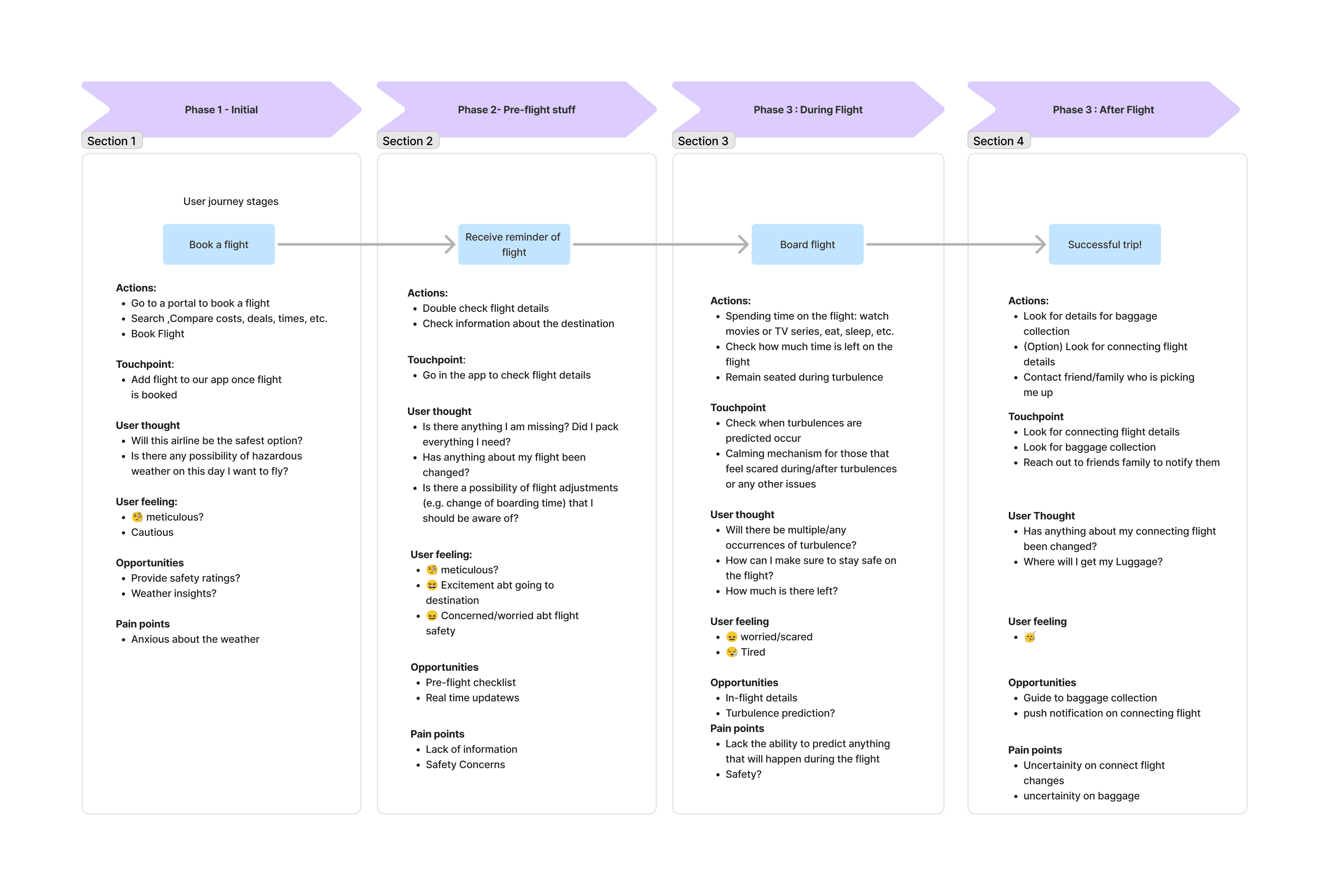
Flight anxiety isn’t one problem. It’s a bundle of moments where uncertainty spikes:

  • Before takeoff: “What’s going to happen?” “Am I prepared?”

  • During turbulence: “Is this dangerous?” “How long will this last?”

  • After landing: “Where do I go?” “What’s next?”

We explored two directions:

  1. Direct communication with cabin crew

  2. Personal empowerment through clear data + grounding tools

We chose (2) because psychological safety often comes from internalizing information—without relying on a busy third party.

III. A Phase-Based UI Approach

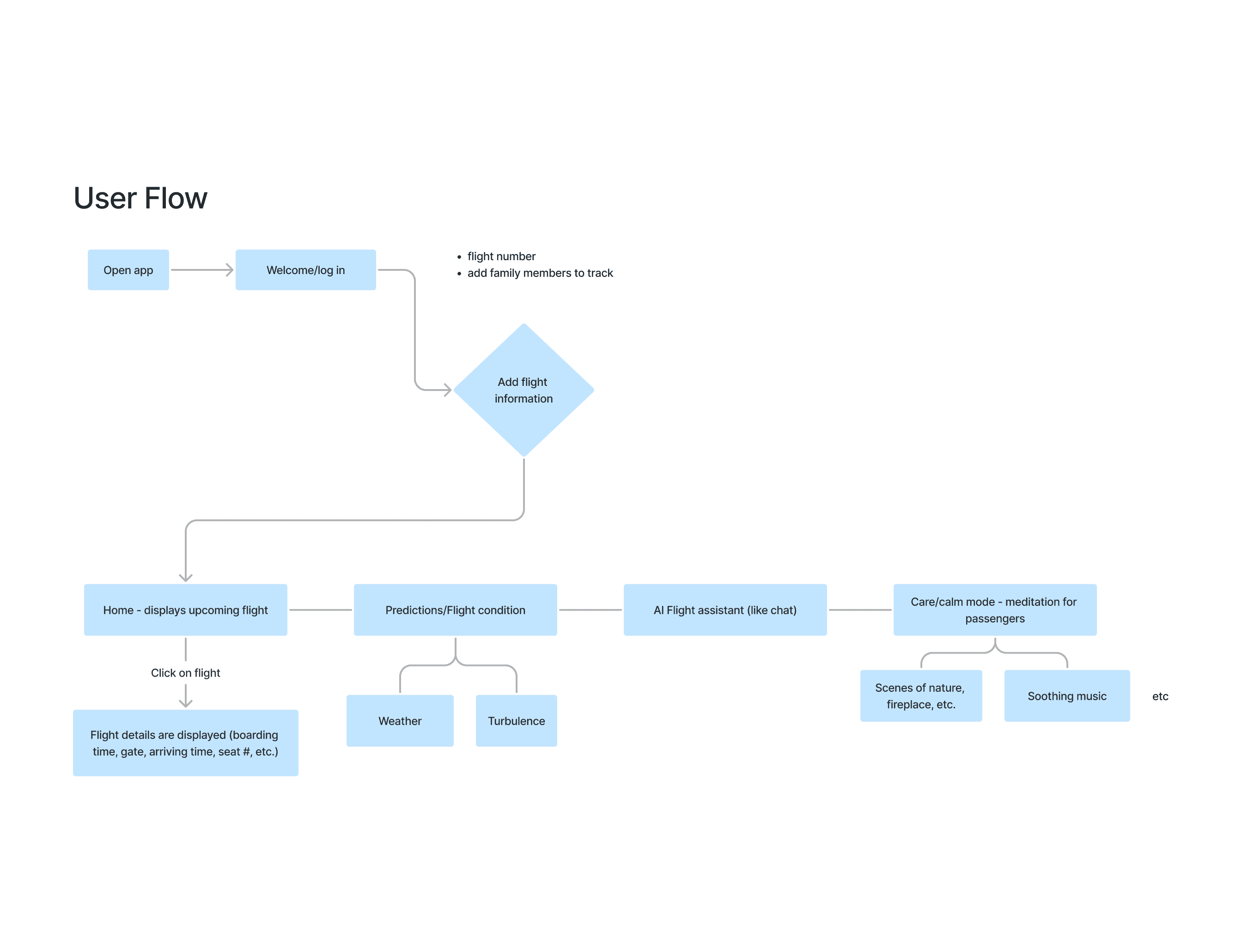
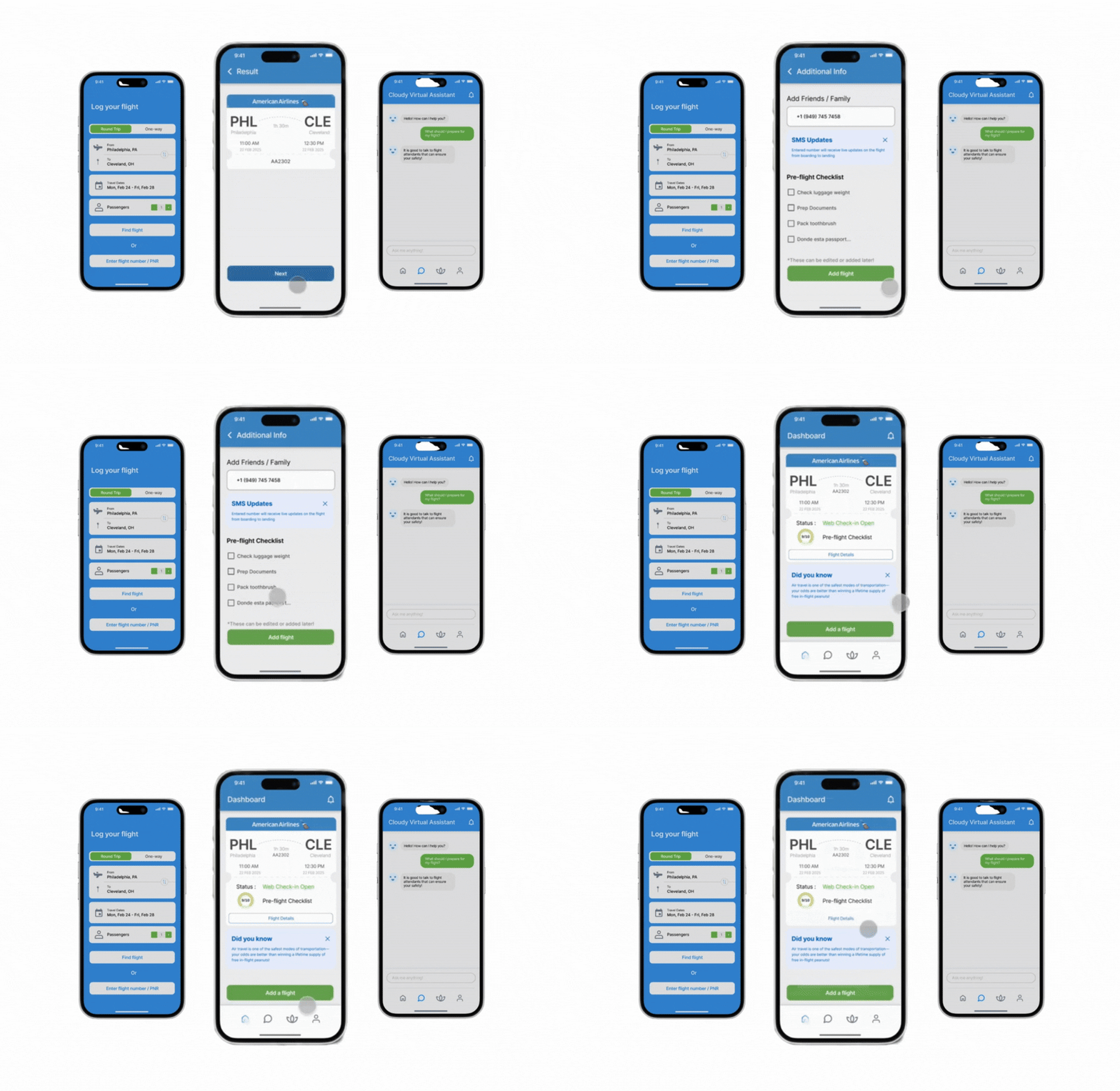
SkyZen adapts to the phase of travel, so users see the right information at the right time:

  • Pre-flight: flight details, checklist, destination weather

  • In-flight: live turbulence + weather context, “Calm Mode,” AI chatbot

  • Arrival: baggage + connection info

Cloudy (AI chatbot) was designed as a low-pressure way for users to ask “is this normal?” and get reassurance in plain language.


l. The Challenge

Following a series of aviation headlines in 2024, public confidence in flying dipped. While air travel remains statistically safe, the psychological reality for passengers is often one of powerlessness and anxiety.

  • The Goal: Move beyond simple flight tracking to create a digital "safety blanket" that empowers passengers with data-driven transparency and emotional grounding.

II. Identifying the Real Pain Points

Flight anxiety isn’t one problem. It’s a bundle of moments where uncertainty spikes:

  • Before takeoff: “What’s going to happen?” “Am I prepared?”

  • During turbulence: “Is this dangerous?” “How long will this last?”

  • After landing: “Where do I go?” “What’s next?”

We explored two directions:

  1. Direct communication with cabin crew

  2. Personal empowerment through clear data + grounding tools

We chose (2) because psychological safety often comes from internalizing information—without relying on a busy third party.

III. A Phase-Based UI Approach

SkyZen adapts to the phase of travel, so users see the right information at the right time:

  • Pre-flight: flight details, checklist, destination weather

  • In-flight: live turbulence + weather context, “Calm Mode,” AI chatbot

  • Arrival: baggage + connection info

Cloudy (AI chatbot) was designed as a low-pressure way for users to ask “is this normal?” and get reassurance in plain language.


Journey Map
Journey Map
Journey Map
User Flow
User Flow
User Flow

IV. Tradeoffs

With a limited build window, we treated scope like a design constraint. Instead of trying to cover every possible scenario, we narrowed to the moments that most impact passenger confidence.

  • Prioritized the core emotional arc: “What’s happening?” “Is this normal?” “What can I do right now?”

  • Designed Calm Mode as a lightweight, low-friction reset that doesn’t compete with attention during a flight

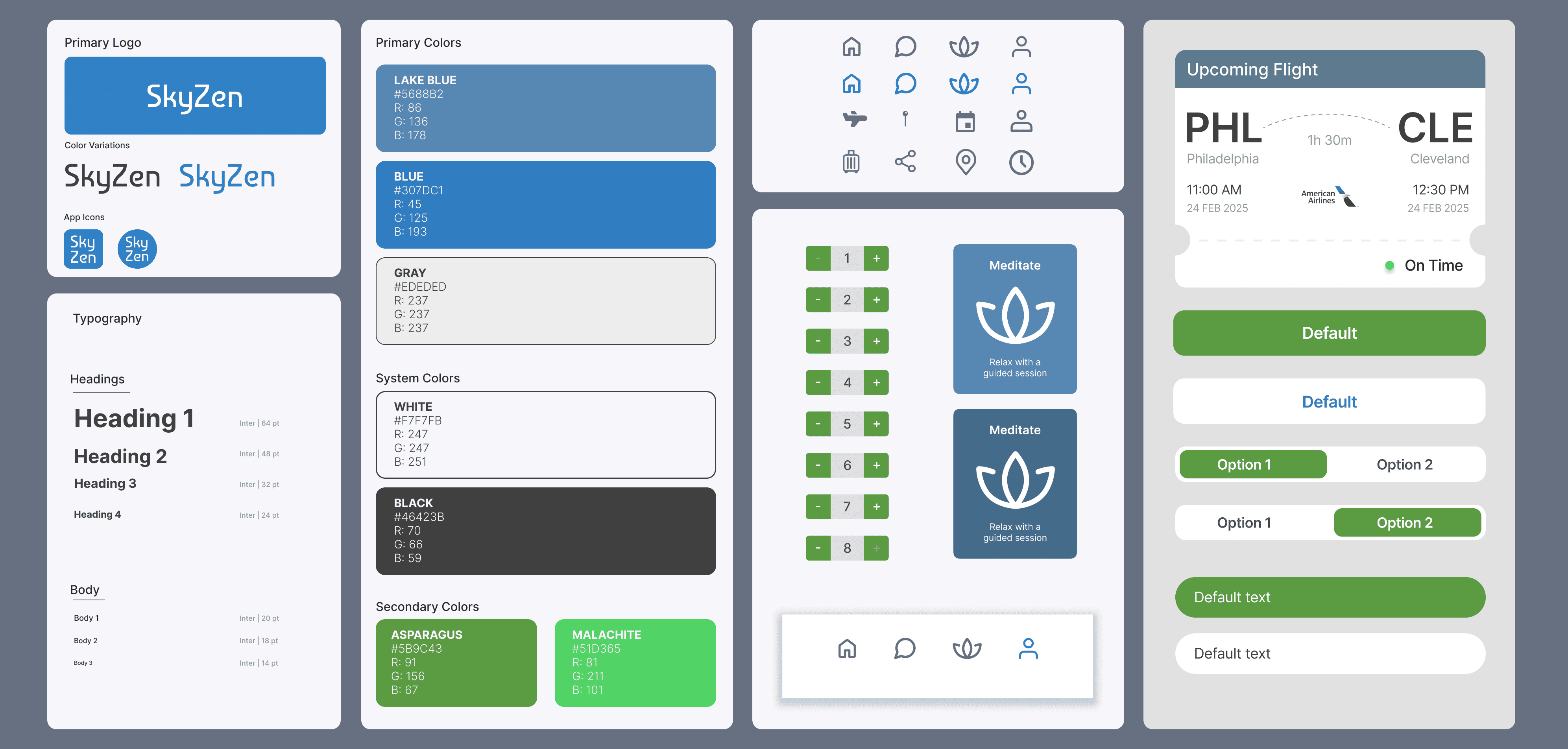
  • Kept the experience cohesive by shipping fewer features with stronger clarity and polish

a cell phone on a ledge
a cell phone on a table
a cell phone on a bench

V. Reflections

In two days, we delivered a cohesive set of screens and flows: onboarding, add/book flight, phase-based dashboards, forecast details, chatbot interactions, and notifications.

What I learned: Quality over quantity! A smaller set of well-designed features beats an overloaded products. It was also my first time designing closely with other designers, and I got much better at splitting work, aligning interaction patterns, and keeping the UI consistent across multiple hands.

V. Reflections

In two days, we delivered a cohesive set of screens and flows: onboarding, add/book flight, phase-based dashboards, forecast details, chatbot interactions, and notifications.

What I learned: Quality over quantity! A smaller set of well-designed features beats an overloaded products. It was also my first time designing closely with other designers, and I got much better at splitting work, aligning interaction patterns, and keeping the UI consistent across multiple hands.

Other projects

Made with iced lattes and love © Mandy 2026


Let's keep in touch: mandy.chen@yale.edu ˙𐃷˙

Made with iced lattes and love © Mandy 2026


Let's keep in touch: mandy.chen@yale.edu ˙𐃷˙

Made with iced lattes and love © Mandy 2026


Let's keep in touch: mandy.chen@yale.edu ˙𐃷˙